Go to Date
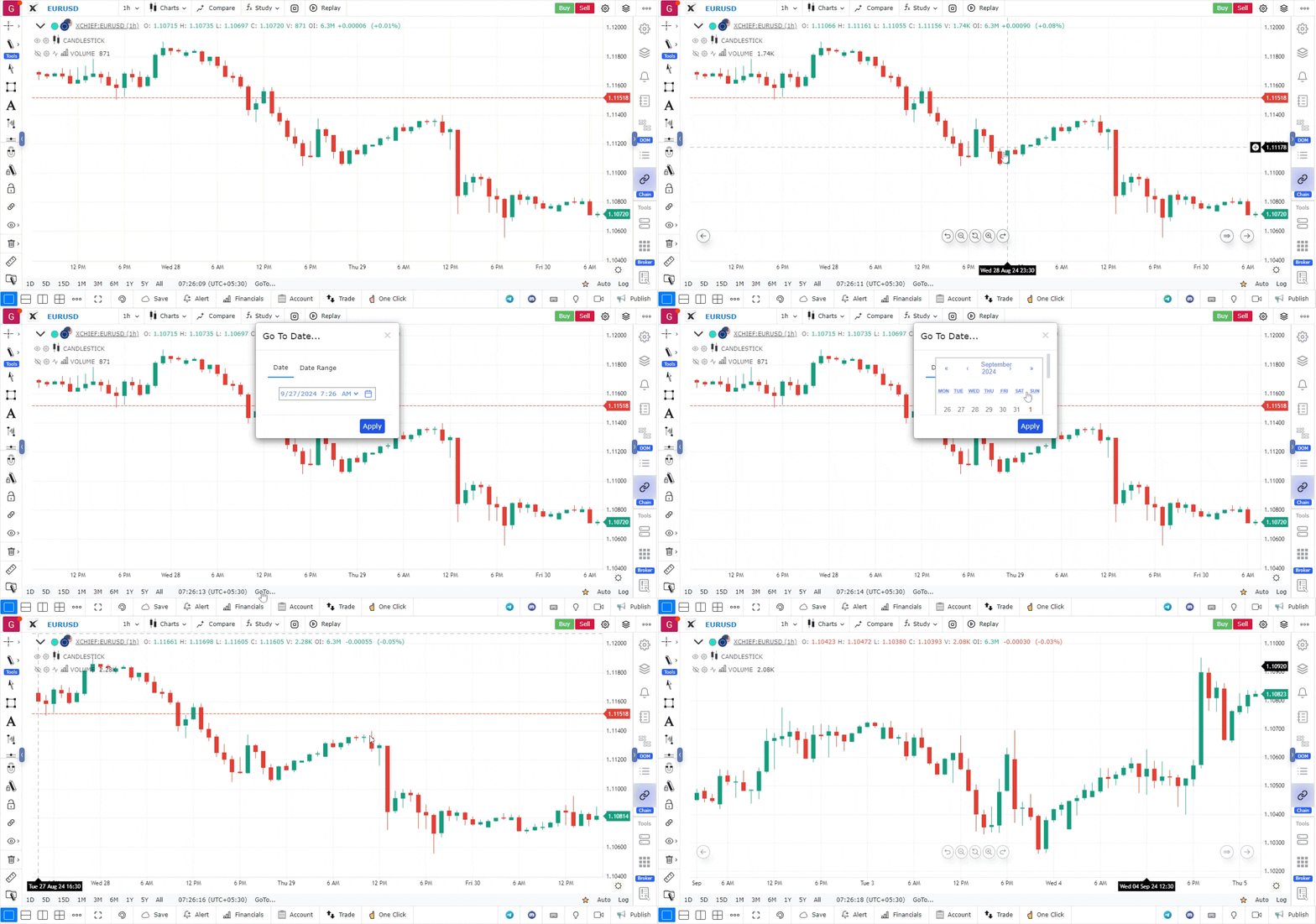
The “Go to Date” feature on GoCharting allows you to jump directly to a specific date in the stock’s historical data. This option can be accessed from the bottom bar, as shown in the picture below.
Use Case
The Go to Date feature in GoCharting allows traders to instantly navigate to any specific historical date on the chart, enabling precise historical analysis, backtesting review, and event-based chart study without manual scrolling.
Strategy
Use Go to Date to jump to significant historical events — earnings announcements, economic releases, major market crashes — and study how price behaved before, during, and after each event. This builds pattern recognition for future event-driven setups.
Common Mistakes
Do not rely on Go to Date alone for backtesting; supplement with proper backtesting tools for statistical validation. Avoid jumping to recent dates without first studying the broader historical context from an earlier starting point. Do not ignore that historical behaviour provides context but not guarantees of future outcomes.