Multistrikes
Overview
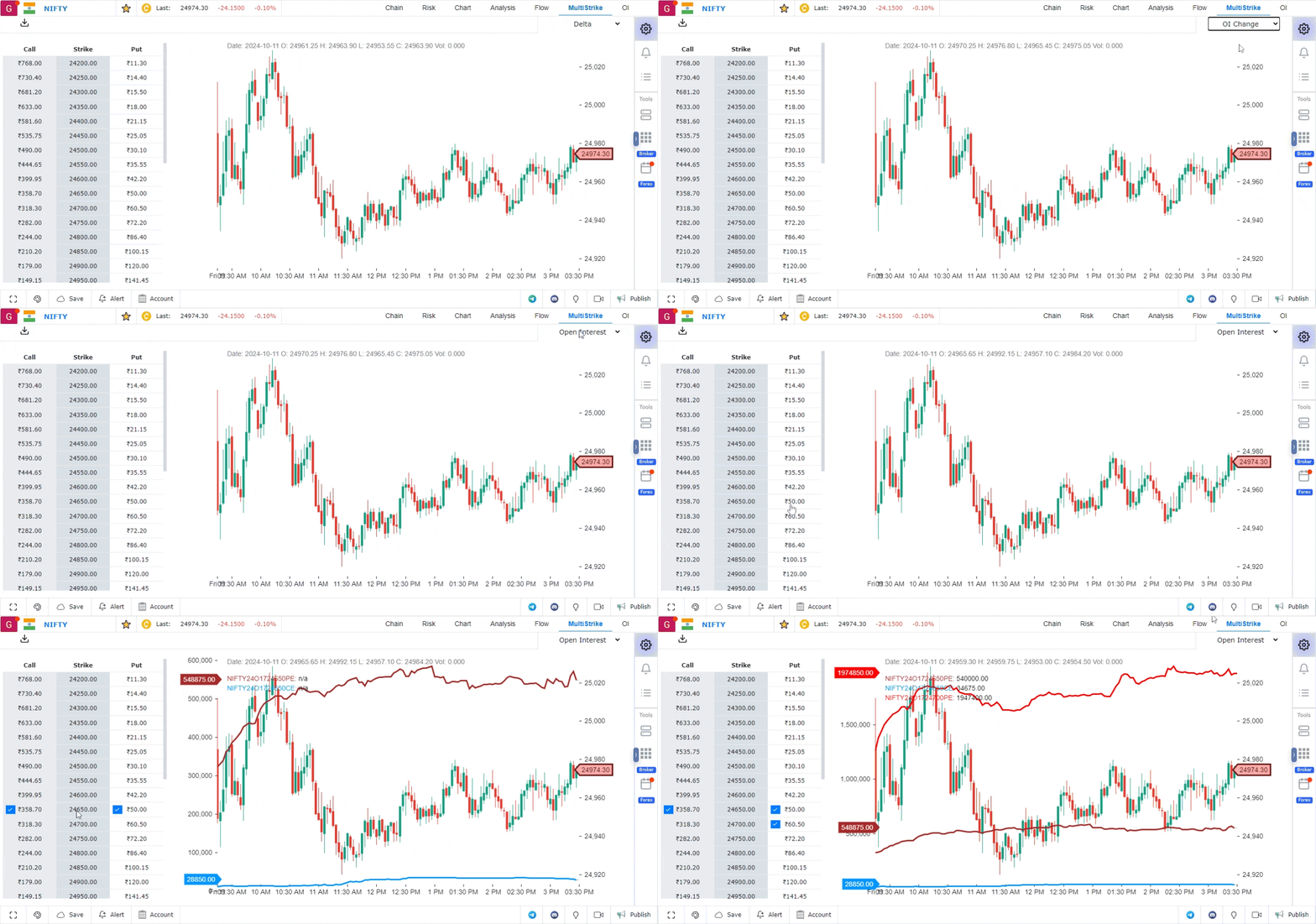
The Multistrikes feature is designed to help options traders choose the right strike prices by providing a comprehensive view of multiple strikes simultaneously. This tool enables traders to monitor the activity across various strike prices, making it easier to analyze market trends and make informed decisions.
Features of the Multistrikes Tool
1. Option Chain Panel
The Option Chain is displayed on the left panel of the Multistrikes tool:
- This panel shows the option chain for the selected asset class.
- It provides a clear view of all the strike prices, allowing traders to quickly scan and analyze multiple strikes.
2. Data Selection
You can customize the data displayed on the Multistrikes dashboard to focus on the most relevant metrics:
- In the top-right corner, there is an option to choose the specific data you want to display.
- Available data includes:
- Open Interest (OI): Total number of outstanding contracts.
- OI Change: Variation in open interest over time.
- Price Data: Open, High, Low, and Close values.
- Volume: Total trading volume for each strike price.
- Greeks: Delta, Gamma, Vega, Theta, and Implied Volatility (IV), which help in understanding the sensitivity of options prices to different factors.
3. Graphical View of Strike Prices
To see a detailed graph for a specific strike price:
- Simply select the strike price from the left panel.
- The graph will display key data points, enabling a more in-depth analysis of that particular strike price’s performance.
Conclusion
The Multistrikes feature provides a powerful tool for options traders to analyze multiple strike prices at once. With customizable data options and easy access to graphical representations, traders can efficiently monitor market activity and make better decisions on choosing the right strike prices for their strategies.
Use Case
The Multi-Strikes view in GoCharting displays multiple option strikes simultaneously alongside their Greeks, volume, open interest, and premium data. It allows options traders to compare strikes efficiently and build complex multi-leg strategies.
Strategy
Use the Multi-Strikes view to identify strikes with the highest open interest around the current underlying price — these act as natural support and resistance levels. Compare IV across strikes to identify skew patterns that reveal market directional bias. Build multi-leg strategies by selecting strikes directly from this view.
Common Mistakes
Do not trade options without reviewing the multi-strikes view to understand where the heaviest positioning exists. Avoid selecting strikes solely based on premium — always cross-reference with IV, delta, and open interest. Do not use the multi-strikes view in isolation from the underlying chart analysis.