Area Chart
An Area Chart is a type of chart that displays price movements over time with a shaded region between the price line and the x-axis, providing a visual representation of trends and momentum in the market. This chart type is ideal for traders who want to visualize price movements in a simple and easily interpretable manner.
How to Access the Area Chart:
- Select Chart Type: On the top bar of the charting platform, click on the Chart Type option.
- From the dropdown menu, select Area Chart.
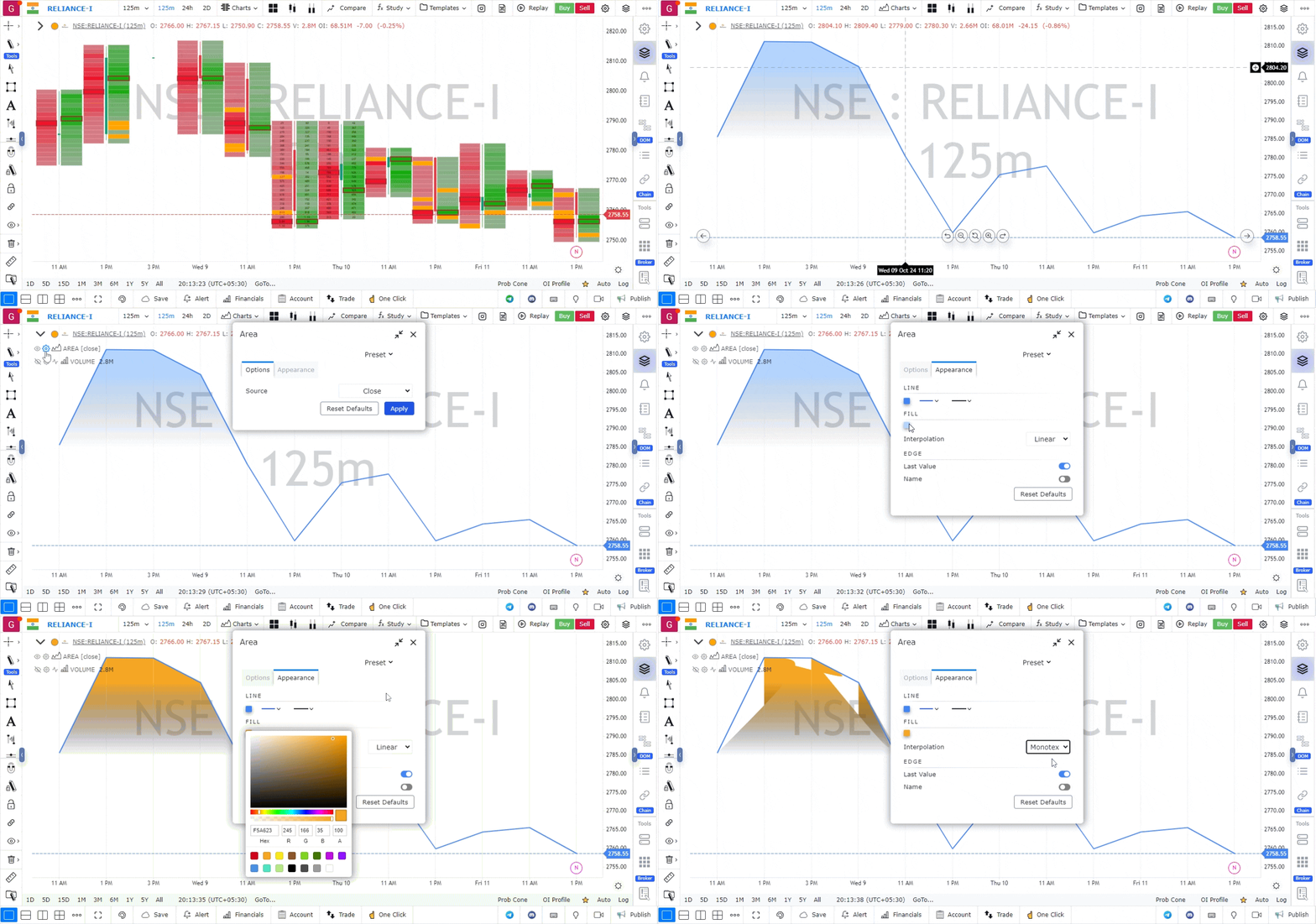
Features of the Area Chart:
-
Shaded Area:
- The chart displays a shaded region beneath the price line, emphasizing the movement and direction of the price over a given time period.
-
Simple Visual Representation:
- Area charts offer a minimalist view of price data, making it easier to identify trends and patterns quickly without the complexity of candlesticks or bars.
-
Customizable Colors:
- You can customize the color of the shaded area and the price line to suit your visual preferences or to distinguish between multiple assets being tracked.
-
Time Frames:
- Area charts are versatile and can be viewed across different time frames, from intraday to long-term intervals, depending on the trading strategy.
-
Data Source:
- The area chart can be based on different price data points like close, high, low, or open prices, depending on how you configure it.
Use Case:
- Trend Identification: The shaded area beneath the price line helps traders visualize the strength and direction of trends.
- Momentum Tracking: Area charts can be useful in observing momentum shifts in price movements and identifying potential breakouts or reversals.
The Area Chart type is a simple yet effective way to get a clear picture of market trends and helps traders make quick decisions based on price movement.
Related Articles
Ready to put this into practice?
Try GoCharting Premium
Unlock advanced orderflow, market profile, options desk, and real-time data — everything you just read about, live in your charts.