Inputs
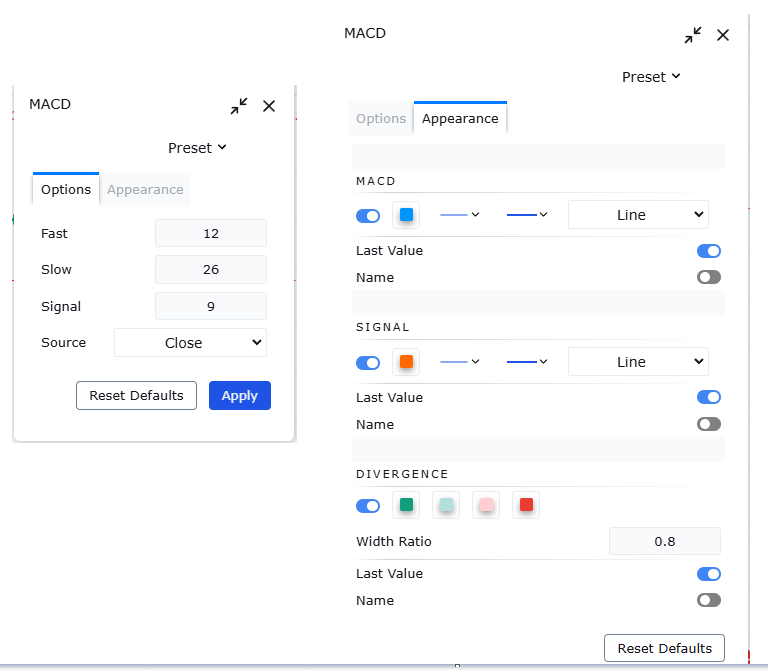
An input is a setting the reader of your script can change from the chart, without editing your code. You call an input function once. The platform draws a control for it, and the call gives you back the value the reader chose.
The input functions live in the input namespace.
The eleven kinds of input
There are eleven input functions, one for each kind of control.
| Function | Asks the reader for | Gives you back |
|---|---|---|
input.bool | a true or false value | input bool |
input.color | a colour | input color |
input.float | a decimal number, with optional bounds and a step | input float |
input.int | a whole number, with optional bounds and a step | input int |
input.price | a price | input float |
input.session | a session | input string |
input.source | a series from the chart | series float |
input.string | a line of text | input string |
input.text_area | a longer piece of text | input string |
input.time | a time | input int |
input.timeframe | a timeframe | input string |
Alongside the eleven, input itself accepts six kinds of default value and returns a value of the matching kind.
Your first input
indicator("Source input")
src = input.source(close, "Source")
plot(src)
The first argument is the value the control starts at. The second is its label. The call returns the reader’s choice, so the plotted series follows the control.
input
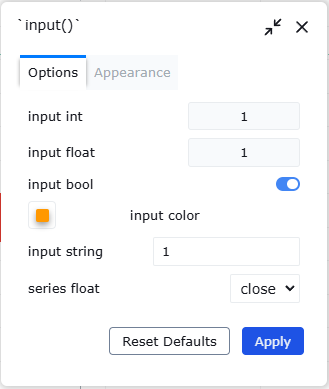
input(const bool defval, const string title, const string tooltip, const string inline, const string group, const bool confirm) → input boolinput(const color defval, const string title, const string tooltip, const string inline, const string group, const bool confirm) → input colorinput(const float defval, const string title, const string tooltip, const string inline, const string group, const bool confirm) → input floatinput(const int defval, const string title, const string tooltip, const string inline, const string group, const bool confirm) → input intinput(const string defval, const string title, const string tooltip, const string inline, const string group, const bool confirm) → input stringinput(series float defval, const string title, const string tooltip, const string inline, const string group, const bool confirm) → series floatinput picks its kind from the type of the default value you hand it. Give it a boolean and you get a boolean back. Give it a colour and you get a colour. The last form takes a series and returns a series, which is how you offer a choice of chart data without naming the function for it.
input has no bounds and no step. For a number that needs a minimum, a maximum or a step, use input.int or input.float.
Whole numbers and decimals
input.int(const int defval, const string title, const int minval, const int maxval, const int step, const string tooltip, const string inline, const string group, const bool confirm) → input intinput.float(const float defval, const string title, const float minval, const float maxval, const float step, const string tooltip, const string inline, const string group, const bool confirm) → input floatThese two take three numeric arguments that no other input function has: minval, maxval and step.
| Parameter | Type | Required | What it is |
|---|---|---|---|
defval | const int | yes | the value the control starts at |
title | const string | no | the label |
minval | const int | no | the lowest value accepted |
maxval | const int | no | the highest value accepted |
step | const int | no | the size of one increment |
tooltip | const string | no | help text for the control |
inline | const string | no | key that puts controls on one row |
group | const string | no | heading the control sits under |
confirm | const bool | no | ask the reader to confirm the value |
The table is input.int. input.float is the same, with const float in place of const int for the value and for the three numeric arguments.
Passing step
step can only be passed positionally. Naming it is a parse error, because step is a word the grammar reserves for counted loops.
This does not parse:
length = input.int(14, "Length", step = 5)Pass the arguments before it positionally instead, so that step lands in its own place:
length = input.int(14, "Length", 1, 200, 5)If you want a step but no bounds, pass na for the bounds:
length = input.int(14, "Length", na, na, 5)Everything after step can be passed positionally too, so a tooltip still fits:
length = input.int(14, "Length", 1, 200, 5, "Bars in the calculation")Read this section twice before you publish. This mistake is the commonest cause of a compile failure.
Choosing a series
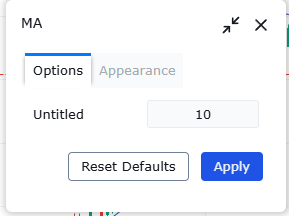
input.source(series float defval, const string title, const string tooltip, const string inline, const string group, const bool confirm) → series floatinput.source returns a series float rather than an input-form value, so what you get back can differ on every bar. The series form of input behaves the same way. Every other input function returns an input-form value.
True or false, and colours
input.bool(const bool defval, const string title, const string tooltip, const string inline, const string group, const bool confirm) → input boolinput.color(const color defval, const string title, const string tooltip, const string inline, const string group, const bool confirm) → input colorshow = input.bool(true, "Show the level")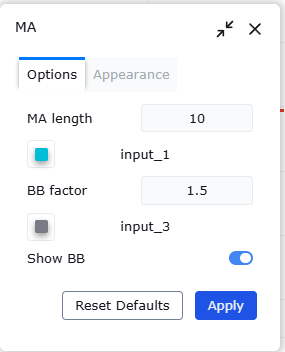
Text, prices, times and timeframes
input.string(const string defval, const string title, const string tooltip, const string inline, const string group, const bool confirm) → input stringinput.text_area(const string defval, const string title, const string tooltip, const string inline, const string group, const bool confirm) → input stringinput.session(const string defval, const string title, const string tooltip, const string inline, const string group, const bool confirm) → input stringinput.timeframe(const string defval, const string title, const string tooltip, const string inline, const string group, const bool confirm) → input stringinput.time(const int defval, const string title, const string tooltip, const string inline, const string group, const bool confirm) → input intinput.price(const float defval, const string title, const string tooltip, const string inline, const string group, const bool confirm) → input floatThese six take the same arguments as input.bool: a default value, a title, and the four presentation arguments below. None of them has bounds or a step.
What an input gives you back
A value that came from an input carries the input form. You never write that qualifier yourself. The call produces it.
In the ordering of forms, input sits between const and simple, so an input value can be used wherever a simple or a series value is wanted. The two exceptions above still hold: input.source and the series form of input hand you a series float.
na in an input argument
An input argument cannot be na. The interpreter rejects it. The exceptions are minval, maxval and step, which may be na to mean unbounded or unstepped.
Tooltip, group, inline and confirm
Beyond the value and its title, every input takes the same four presentation arguments: a tooltip, a group to sit under, an inline key that puts several controls on one row, and a confirmation flag.
All four are optional, and all four are const, so none of them can be built from series data.
A worked example
indicator("Input gallery")
src = input.source(close, "Source", "The series this indicator reads")
level = input.float(100.0, "Level", 0.0, 100000.0, 0.5, "A fixed price to draw a line at")
plot(src)
plot(level)
The source input chooses which series is drawn. The level input is bounded and stepped, so its three numeric arguments and its tooltip are all passed positionally.