The Crosshair in Charts
The Crosshair in charts is an essential tool used in technical analysis that allows traders and analysts to pinpoint specific price levels and timeframes on a chart. By visually extending a vertical and horizontal line from the cursor, the crosshair helps users quickly reference and analyze the exact price and time data, making it easier to make informed trading decisions.
Features of the Crosshair in Charts
-
Vertical Line:
- A vertical line extends from the cursor position to the top and bottom of the chart, indicating the specific date or time.
- This allows users to see what date corresponds to a particular price point.
-
Horizontal Line:
- A horizontal line extends across the chart at the cursor’s price level, showing the exact price value.
- This helps in identifying the price at specific points in time.
-
Data Information:
- Many charting platforms display real-time data, such as the exact price and volume, when the crosshair is used.
- This information often appears in a tooltip or data box near the crosshair, providing quick insights into market behavior.
How to Access Crosshair
-
Open the Chart:
- Log into your account.
- Load the chart of the asset or financial instrument you want to analyze.
-
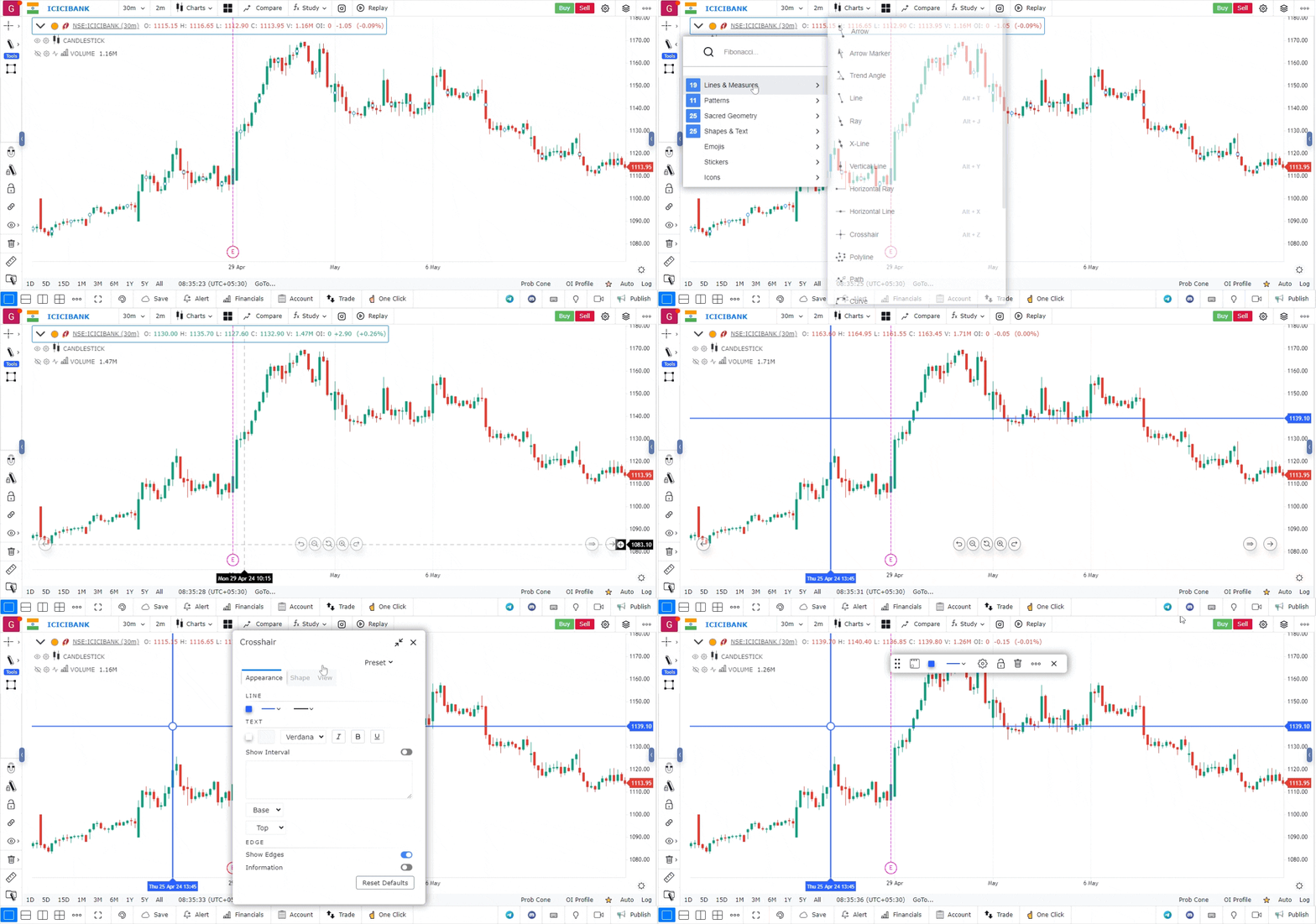
Access the Drawing Tools Menu:
- Look for the drawing tools menu, which is typically located on the left-hand side or at the top of the platform interface.
- Click on the drawing tools icon to open a list of available tools.
-
Select the Crosshair Tool:
- From the list of tools, choose the crosshair tool.
- The icon for this tool often looks like a crosshair.
Use Case
The Crosshair tool displays precise price and time coordinates at the cursor position, allowing traders to pinpoint exact values on the chart. It is essential for reading exact levels and measuring distances between price points.
Strategy
Use the Crosshair tool to precisely identify support and resistance levels, confirm indicator values at specific price bars, and measure the exact high/low of swing points for stop placement and target calculation.
Common Mistakes
Do not rely solely on the crosshair without double-checking values against the chart’s price scale. Avoid using the crosshair to read indicator values from the panel without confirming the indicator calculation logic. Do not use the crosshair reading as a substitute for a properly configured price alert.