Lipi Script Editor Features
We’ve introduced several powerful upgrades to the Lipi Script Editor to enhance your scripting, debugging, and learning experience.
Syntax Errors Marked After Compilation
When you compile your Lipi Script, the editor highlights any syntax or compilation errors directly in the code area.
For example:
disableFor30min = inputbool(true, "Disable for 30 min")If the correct function is input.bool but you mistakenly write inputbool, the editor highlights the error after compilation, showing:
Could not find function or function reference inputbool.
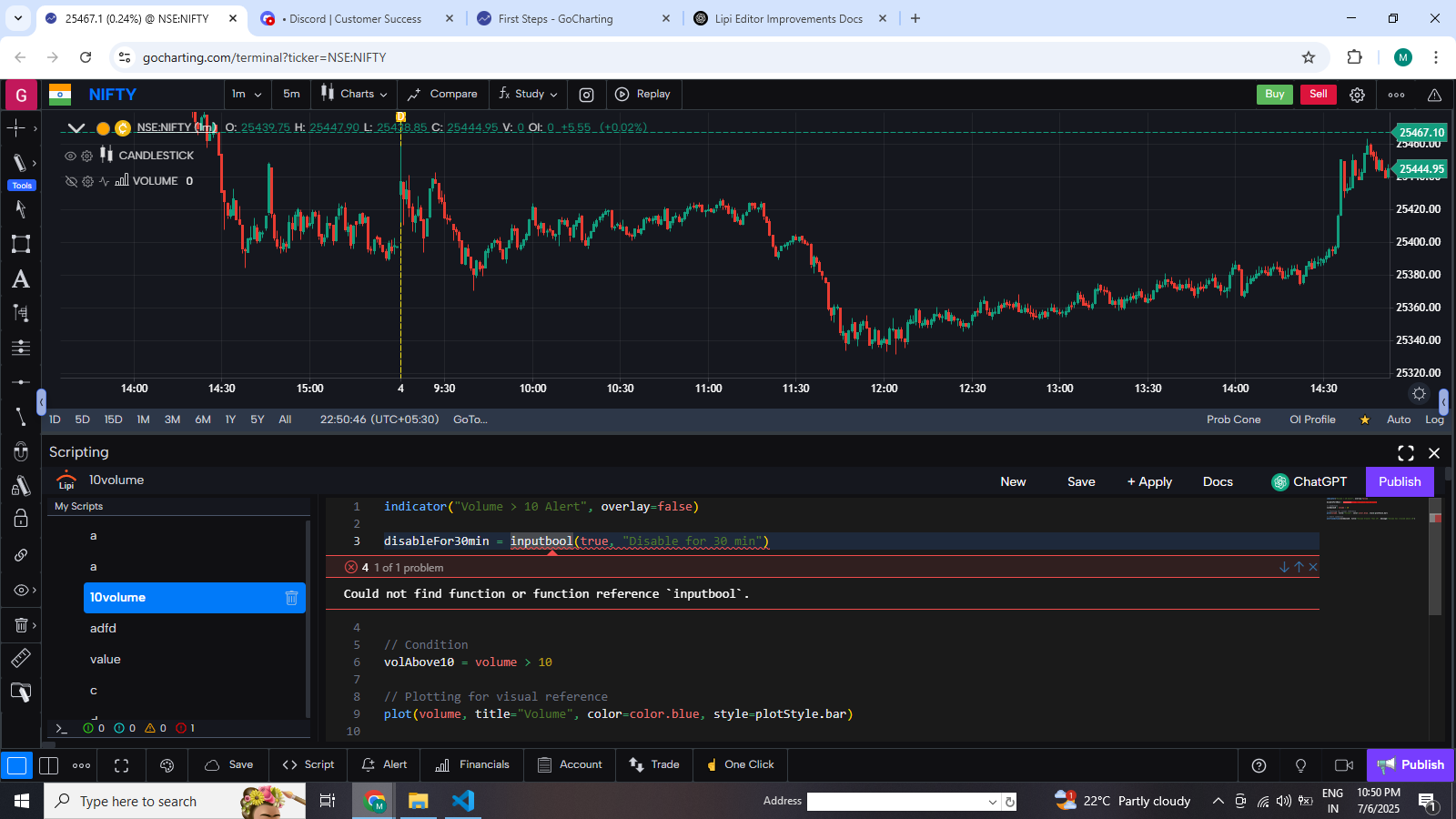
Benefit: Immediate feedback after compiling helps you spot and fix syntax issues quickly without running the script.
Runtime Errors Are Marked on the Legend If your script runs into a runtime issue (like accessing historical bars beyond the allowed range), an error icon appears in the chart legend with a detailed message.
Example Message: Runtime error at index 0. The script is trying to access historical data outside allowed range (5000). The allowed range is 0 to 500.
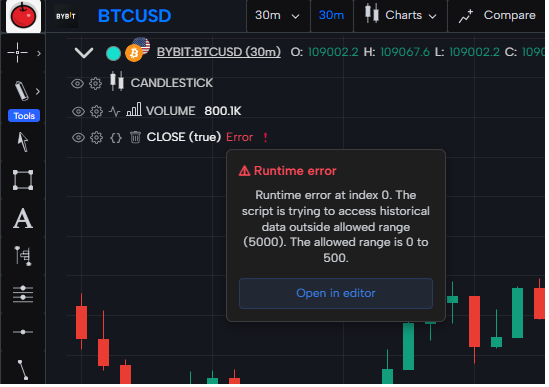
Benefit: Clear visual alerts and detailed messages help you debug live scripts faster.
CTRL + Click to View Function Documentation Hold CTRL (or CMD on Mac) and click on any built-in function or variable to instantly view its documentation.
For example, clicking on talib.crossover() will open a reference panel showing:
Function signature
Argument types
Description and usage
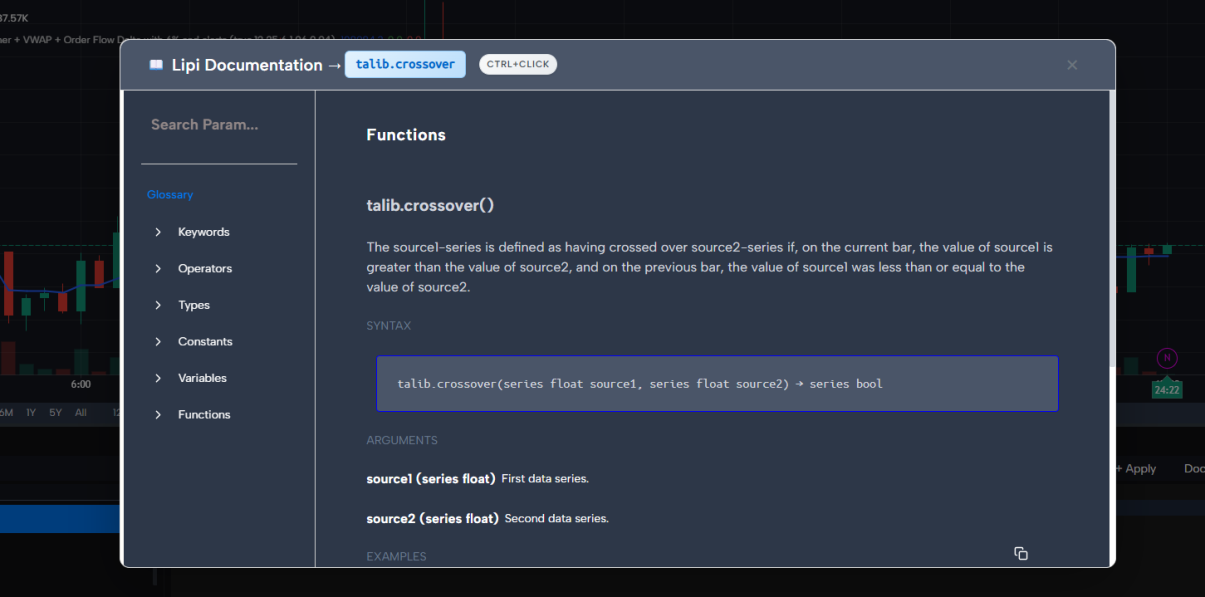
Benefit: Understand built-in functions without leaving the editor — perfect for fast learning and reference.