Anchor VWAP and Bands
Anchored VWAP or Custom VWAP tool allows drawing a VWAP line within a specified range or from a specified starting point.
Anchor VWAP
Specify the start point on the chart and anchored VWAP will draw a line to the current moment. Also, you can specify the Standard Deviation and Maximum Permissible Deviation.
How to add Anchor VWAP to the chart
To activate the Anchored VWAP, you can right click on any candle in the chart and choose Add AVWAP from the contect menu
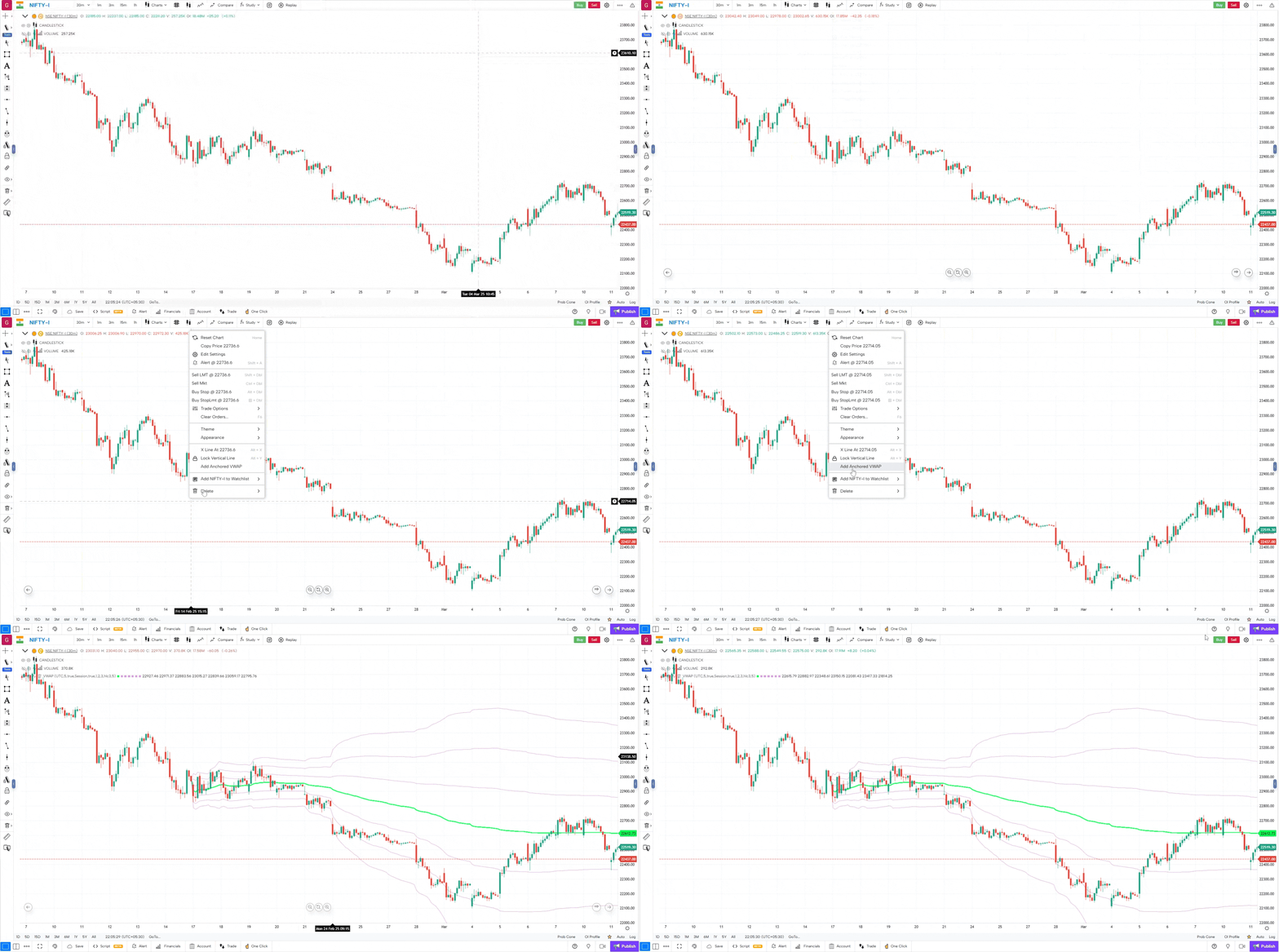
Lets look at it in action now

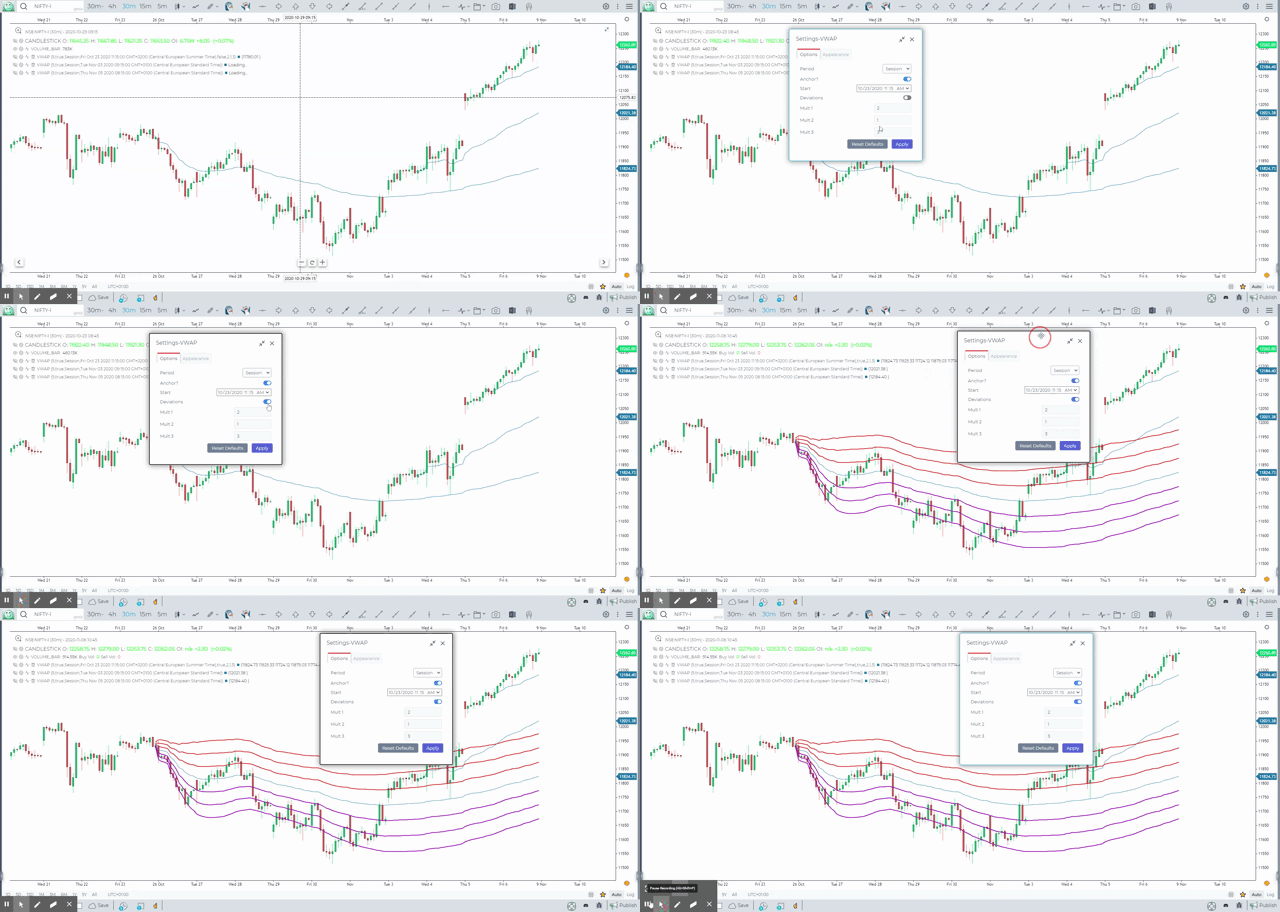
Clicking on the Gear Icon will open up the Anchor VWAP Settings Dialogue
Options

Period: By default, the Period will be “Session” and is not relevant to this indicator.
Anchor: Anchor toggle manages the anchor nature of the indicator
Standard Deviation Bands. When the parameter is active, the standard deviation lines up and down from VWAP will be additionally calculated on the chart. Specify the number of standard deviations in the “Value” field
Appearance
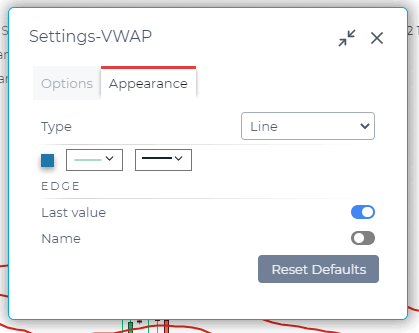
VWAP line — set the main line type, its thickness and color
Use Case
Anchored VWAP lets you place a VWAP starting from any significant market event, creating a precise institutional reference level with standard deviation bands above and below.
Strategy
Anchor the VWAP to a major swing low or high. Use the VWAP line as dynamic support in an uptrend: buy when price pulls back to the anchored VWAP with a bullish confirmation candle. Use the upper band as a target.
Common Mistakes
Do not anchor VWAP to an arbitrary point. Avoid treating Anchored VWAP as a static support level. Do not use it without understanding which anchor point is institutionally significant for your instrument.