Adding to Market Profile in GoCharting
GoCharting offers robust features for managing market profiles, enabling traders to customize their analysis. Here’s how to utilize the various options:
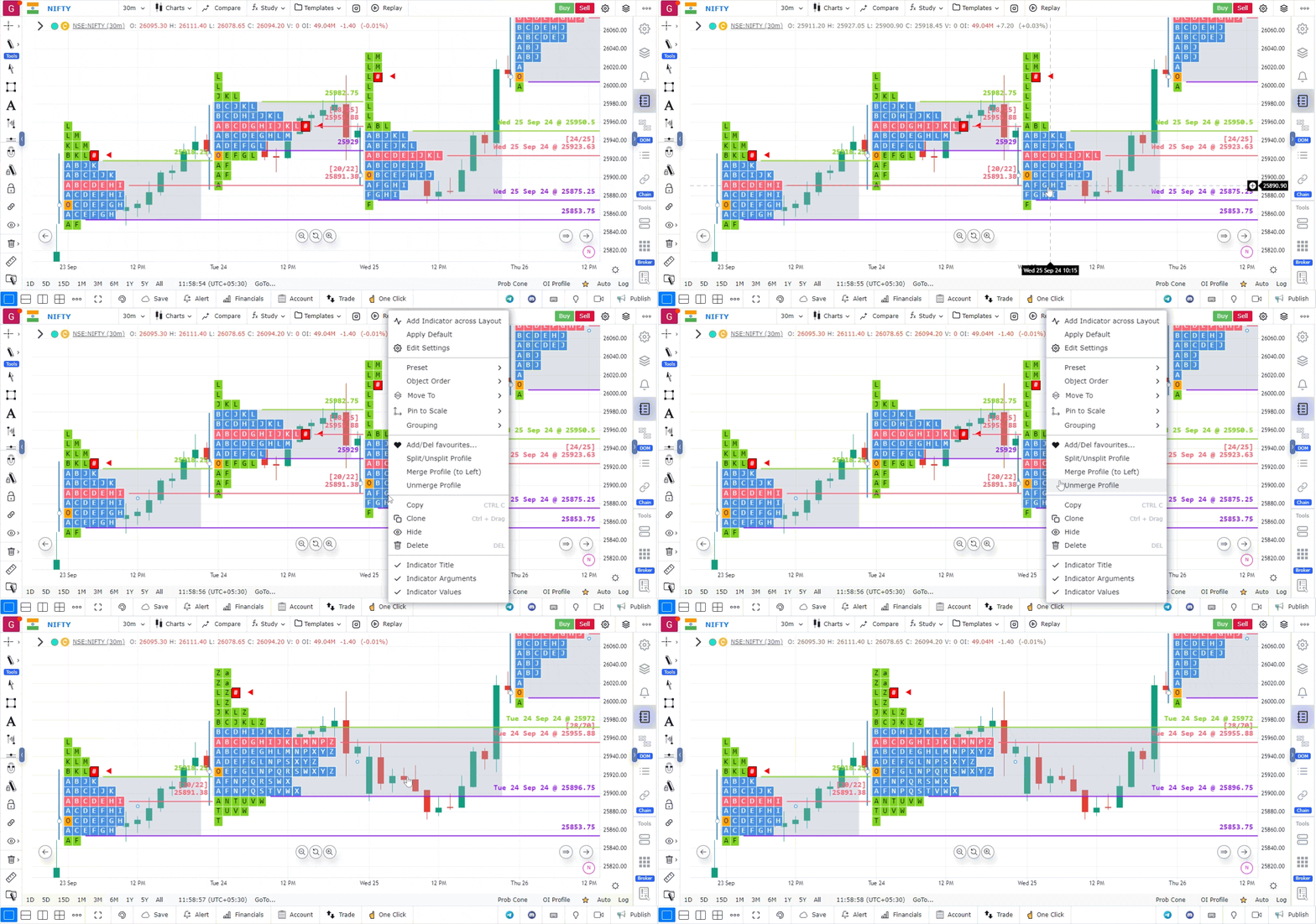
1. Merge/Unmerge Market Profiles
To merge or unmerge market profiles:
- Right-click on the Market Profile: This action will bring up a context menu.
- Select Merge/Unmerge: Choose the appropriate option from the right-click menu.
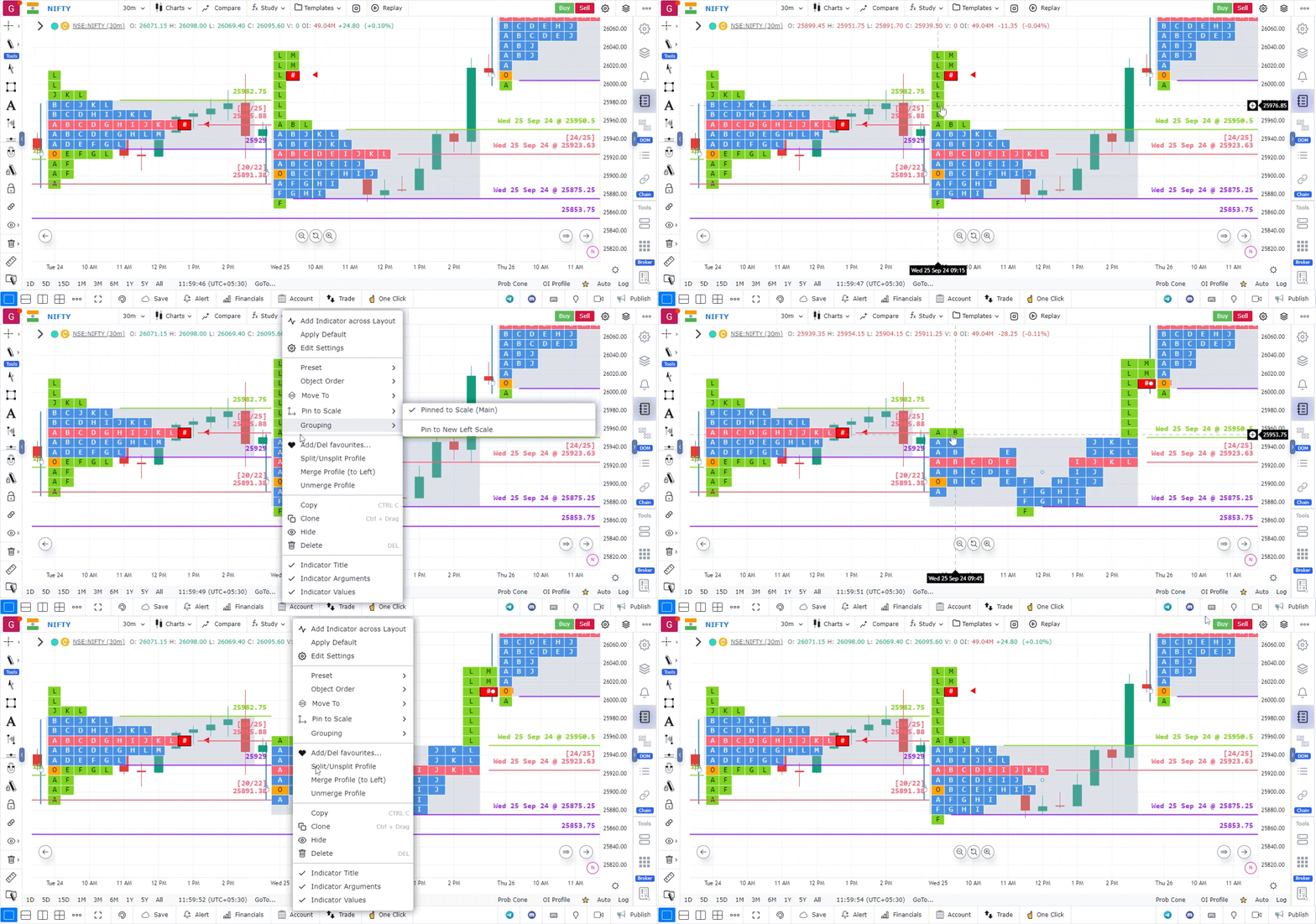
2. Split Market Profile
To split or unsplit market profiles:
- Right-click on the Market Profile: Access the context menu.
- Select Split/Unsplit: Choose this option to split or return to a single profile.
3. Split Based on Sessions
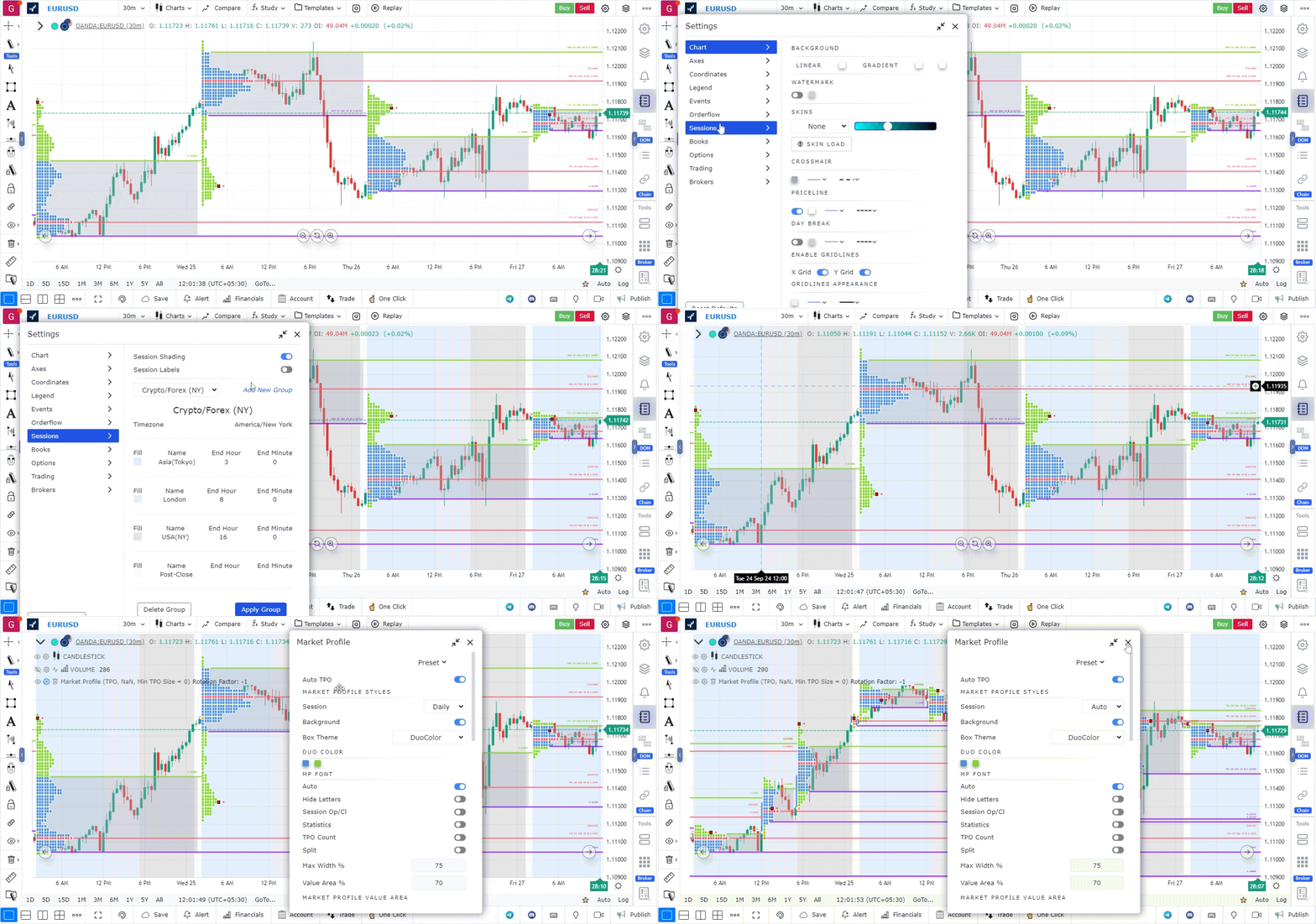
For markets like Forex, CME, NYMEX, or COMEX, traders may want to view market profiles for individual sessions within a single day. Here’s how to do it:
1. Access Session Settings:
- Click on the Settings option located in the top right corner of the screen.
- Select Sessions from the dropdown menu.
Choose Desired Session:
- From the dropdown menu, select the session you wish to analyze.
- Click on Apply Group to confirm your selection.
2. Enable Session Shading and Labels:
- Optionally, switch on session shading and labels based on your preference for clearer visual differentiation.
3. Adjust Market Profile Settings:
- Return to the Market Profile Settings.
4. Set to Auto:
- Choose Sessions as Auto. This setting will automatically split the market profile according to the desired sessions.
 )
)
Use Case
The Merge and Split function in GoCharting’s Market Profile allows traders to combine multiple trading sessions into a composite profile or break a single profile into smaller time segments. This provides insight into how value is developing over custom timeframes.
Strategy
Use the Merge function to combine three or more days of Market Profile data into a composite profile, revealing the dominant Value Area and POC over a wider timeframe. Enter long when price accepts above this multi-day composite VAH — it signals a broader bullish auction.
Common Mistakes
Do not merge too many sessions together as the composite loses specificity. Avoid using merged profiles as the only frame of reference; always compare to individual daily profiles. Do not split profiles into periods that are too short — at least 2-hour segments are needed for meaningful TPO distributions.