Strategy or Formula Charts in GoCharting
GoCharting provides a powerful feature called Strategy or Formula Charts, enabling traders to apply custom strategies and formulas for enhanced market analysis. This is particularly advantageous for options traders implementing strategies like straddles, strangles, and more. Additionally, users can create synthetic futures charts, helping them make more informed trading decisions and boosting performance.
How to Create Strategy Charts
There are two primary methods to create strategy charts in GoCharting:
First Method: Using the Search Box
- Type = in the Search Box: Start by typing the equals sign (
=) in the search box. - Search for Instruments: Enter the name of the desired stock, future, or option.
- Use Mathematical Operators: You can incorporate mathematical operators to create formulas:
+for addition-for subtractionxfor multiplication/for division
- Search for Additional Instruments: Add another stock, future, or option to complete your formula.
Second Method: Using the Options Chain
- Access the Options Chain: Navigate to the widget bar and look for the “Options Chain” feature.
- Select Basket Order: Click on the “Basket Order” option.
- Execute Buy or Sell: Based on your chosen strategy, perform buy or sell actions for the selected strike prices.
- Strategy Chart Window: A new strategy chart window will open with your selected instruments.
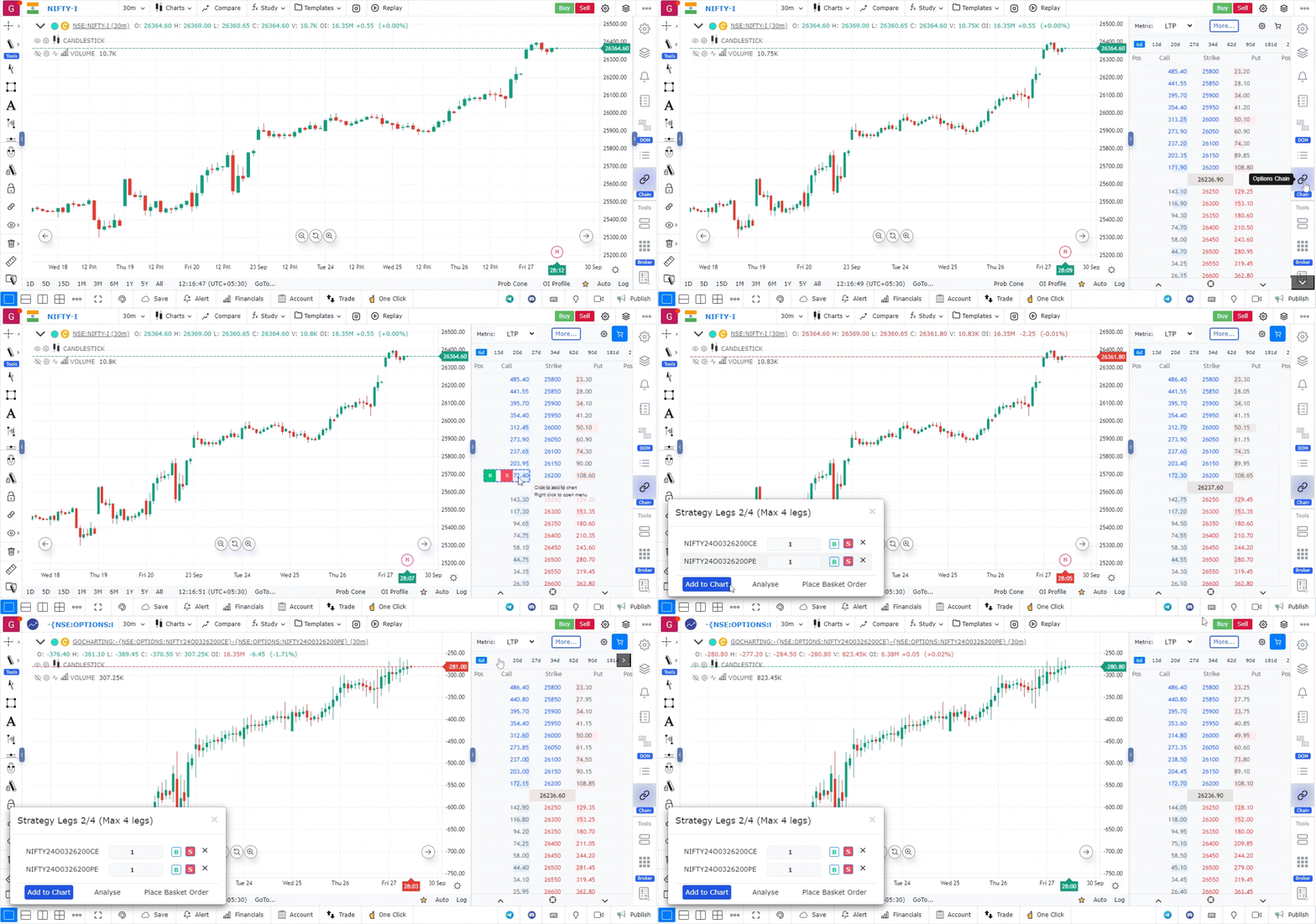
Applying and Trading from Strategy Charts
- Apply to Charting Page: From the strategy chart window, you can directly apply the strategy to your charting page.
- Place Basket Order: Alternatively, execute trades by clicking on the “Place Basket Order” option.
- Risk Analysis: Use the “Analyze” option to perform a risk assessment of your strategy.
Using Strategy or Formula Charts in GoCharting empowers traders to visualize their strategies effectively, backtest them with historical data, and make informed trading decisions—all within one integrated platform.
Use Case
Strategy and Formula Charts in GoCharting allow traders to plot the output of custom LipiScript strategies directly on the chart, enabling visual backtesting and overlay of formula-based signals on historical price data.
Strategy
Create a LipiScript strategy and attach it to a Strategy Chart to visually inspect historical trade entries and exits directly on price. Use formula charts to build custom studies that overlay unique calculations not available in the standard indicator library.
Common Mistakes
Do not use Strategy Charts as a substitute for rigorous backtesting with proper position sizing logic. Avoid over-optimising the formula to historical data. Do not deploy a strategy live without forward-testing on unseen data.