Analysis
Overview
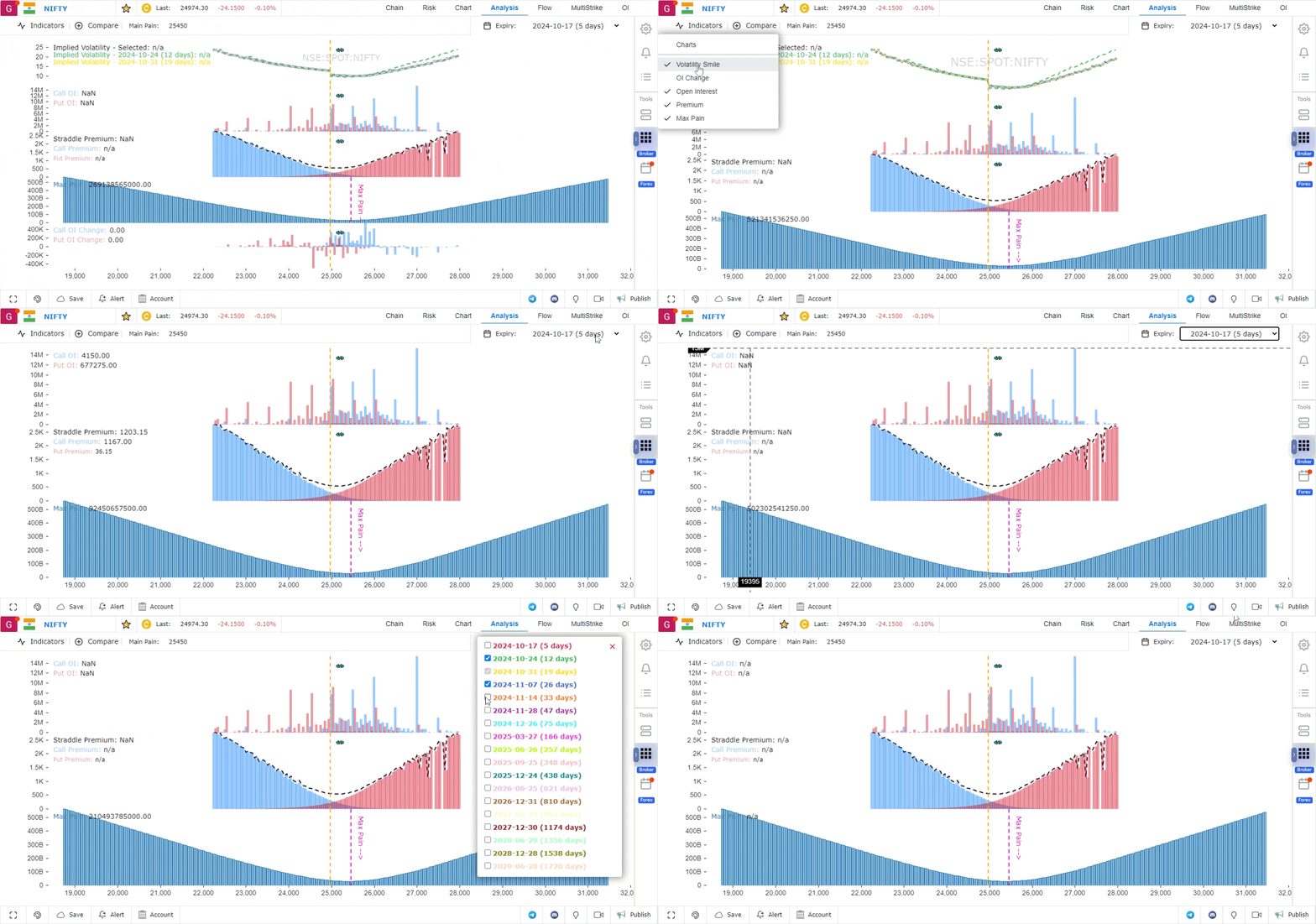
The Analysis feature serves as a comprehensive dashboard where all critical market information is displayed in one place. It provides a unified view of key metrics and allows for easy comparisons to help traders make informed decisions. Below is a detailed description of the features available in the Analysis section.
Features of the Analysis Dashboard
1. Indicators
The Indicators feature provides a variety of tools to help analyze the options market:
- Click on the Indicator button to plot different data points, including:
- Volatility: Measures the market’s expectation of future price movements.
- Open Interest (OI): Displays the total number of outstanding contracts.
- OI Change: Indicates how much the open interest has increased or decreased.
- Premium of Straddle: Shows the combined premium of call and put options.
- Max Pain: The point where the most options contracts expire worthless, indicating the price level at which traders experience the most pain.
2. Expiry-Based Data
The Analysis feature allows you to filter data based on different expiries:
- Click on the Expiry option located in the top-right corner of the dashboard.
- This allows you to view data specific to the chosen expiry, helping you focus on the most relevant market information.
3. Comparison between Expiries
You can compare data across multiple expiries to get a broader view of market trends:
- Click on the Compare button to analyze and compare the indicators between different expiration dates.
- This feature helps in understanding how the market sentiment and trends differ across various expiries.
Conclusion
The Analysis dashboard provides traders with a centralized location to access and compare crucial market data. With features like indicator plotting, expiry-based analysis, and the ability to compare data across different expiries, this tool helps in making data-driven trading decisions with ease and precision.
Use Case
The Options Analysis tab in GoCharting provides real-time Greeks (delta, gamma, theta, vega), payoff diagrams, and scenario analysis tools for individual options and multi-leg strategies. It is the primary tool for options traders to assess risk and reward before execution.
Strategy
Before entering any options trade, use the Analysis tab to visualise the payoff diagram and assess how the position performs at different underlying prices and expiry dates. Use the scenario slider to stress-test the position across a range of underlying moves and volatility changes.
Common Mistakes
Do not enter multi-leg options strategies without first visualising the payoff diagram. Avoid ignoring theta decay projections for long options positions — time decay accelerates significantly in the final 30 days before expiry. Do not ignore vega exposure in volatile markets where IV expansion or contraction will significantly impact P&L.