Open Interest (OI) Profiles
Open Interest (OI) is a crucial metric for trading, particularly in the Indian markets, where a significant amount of trading activity occurs in options. Analyzing OI data helps traders make informed decisions based on the buildup of open interest across various strike prices.
Accessing OI Profiles
To view the OI profile for a specific stock or index:
-
Select the Stock/Index: Apply the desired stock or index on your charts.
-
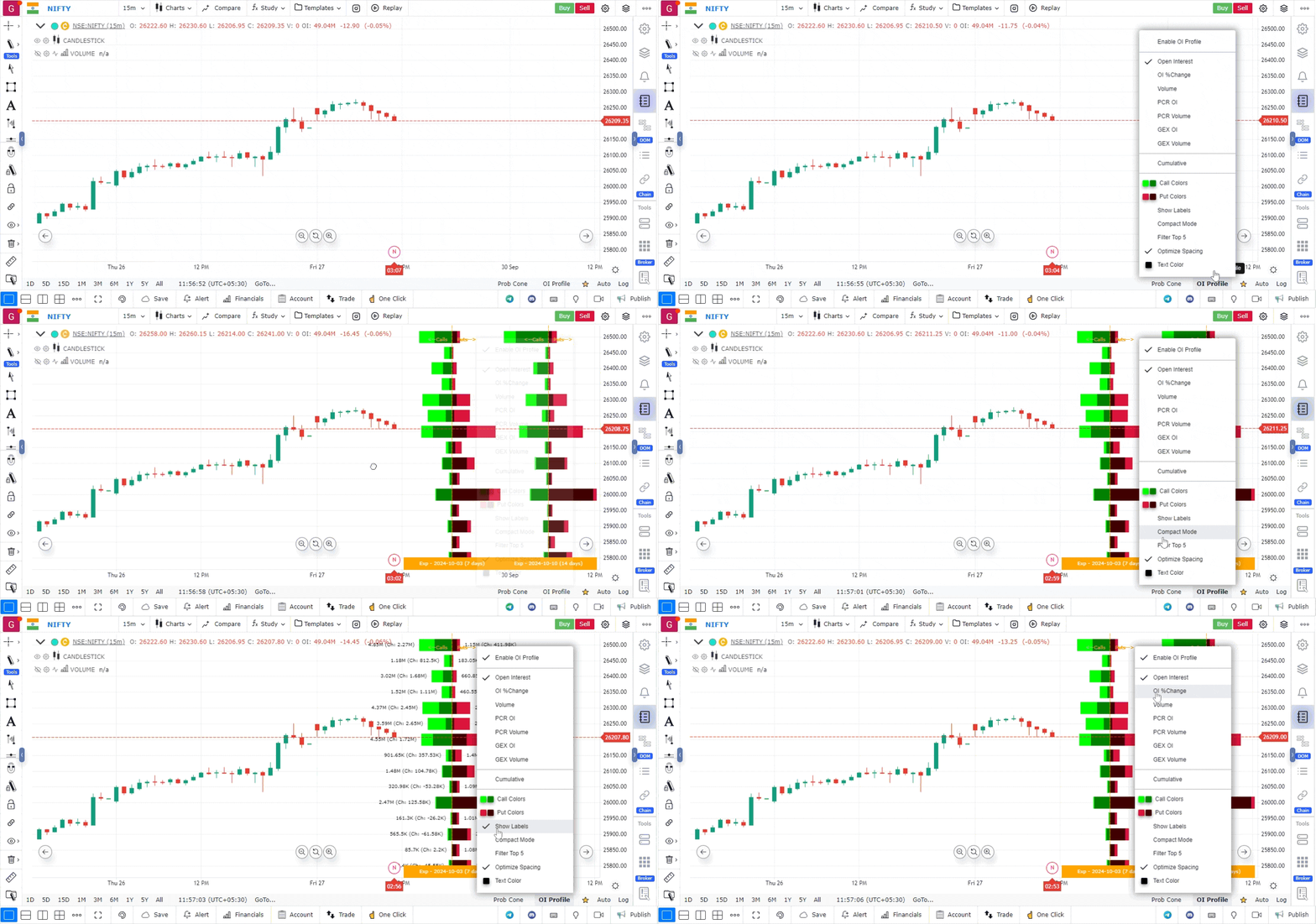
Enable OI Profile: In the bottom right corner of the chart, click on the OI Profile option.
-
Turn On OI Profile: Click to enable the OI profile feature.
Once enabled, you can analyze various data points for different strike prices of call and put options, including:
- Open Interest
- OI Percentage Change
- Volume
Additional Features
The OI profile includes several useful options:
- PCR OI: View the Put-Call Ratio based on open interest.
- PCR Volume: View the Put-Call Ratio based on volume.
- GEX OI: Analyze the Gamma Exposure based on open interest.
- GEX Volume: Analyze the Gamma Exposure based on volume.
- Cumulative: This option aggregates data for all weekly and monthly expiries for the current month expiry.
Customization Options
- Colors: Customize the colors for call and put options to suit your preference.
- Show Labels: Enable this option to display data directly on the profiles.
- Compact Mode: Activate this feature to reduce the thickness of the profiles for a clearer visual experience.
- Filter Top 5: This option filters and displays the top 5 strike prices with the highest values for the selected parameter.
- Optimize Spacing: When using a smaller time frame on the chart, this feature optimizes the space between price levels and OI profiles for better visibility.
- Text Color: Change the text color for better readability.
Utilizing OI profiles in GoCharting enables traders to consolidate important open interest data, enhancing their trading strategies and decision-making processes.
Use Case
Open Interest Profile displays the distribution of options open interest across price levels as a histogram, similar to a Volume Profile but using OI data. It reveals where institutional options positions are concentrated, creating potential support and resistance clusters.
Strategy
Use the Open Interest Profile to identify the Peak OI level — the price with the most total options OI. This level acts as a gravitational centre for price, especially near expiry. Trade counter-trend when price is far from Peak OI and there is no directional catalyst.
Common Mistakes
Do not use Open Interest Profile to predict market direction — OI shows positioning, not future movement. Avoid ignoring the expiry date; OI profiles become less reliable as expiry approaches and positions are rolled or closed. Do not rely on OI data that is not updated in real time.