Time and Sales
The Time and Sales (T&S) tool provides traders with real-time data on executed trades, displaying information such as trade size, price, and timestamp. This feature is essential for analyzing market activity, observing buying and selling patterns, and making informed trading decisions.
Accessing Time and Sales
- Open the Chart of the Instrument: Ensure you have selected and opened the chart of the specific instrument you wish to analyze.
- Locate the Right Panel: On the right side of the screen, you will find various tools and options.
- Click on ‘Books’: Select the ‘Books’ icon from the right panel.
- Choose ‘Time and Sales’: From the options displayed, select the Time and Sales section to view real-time trade data.
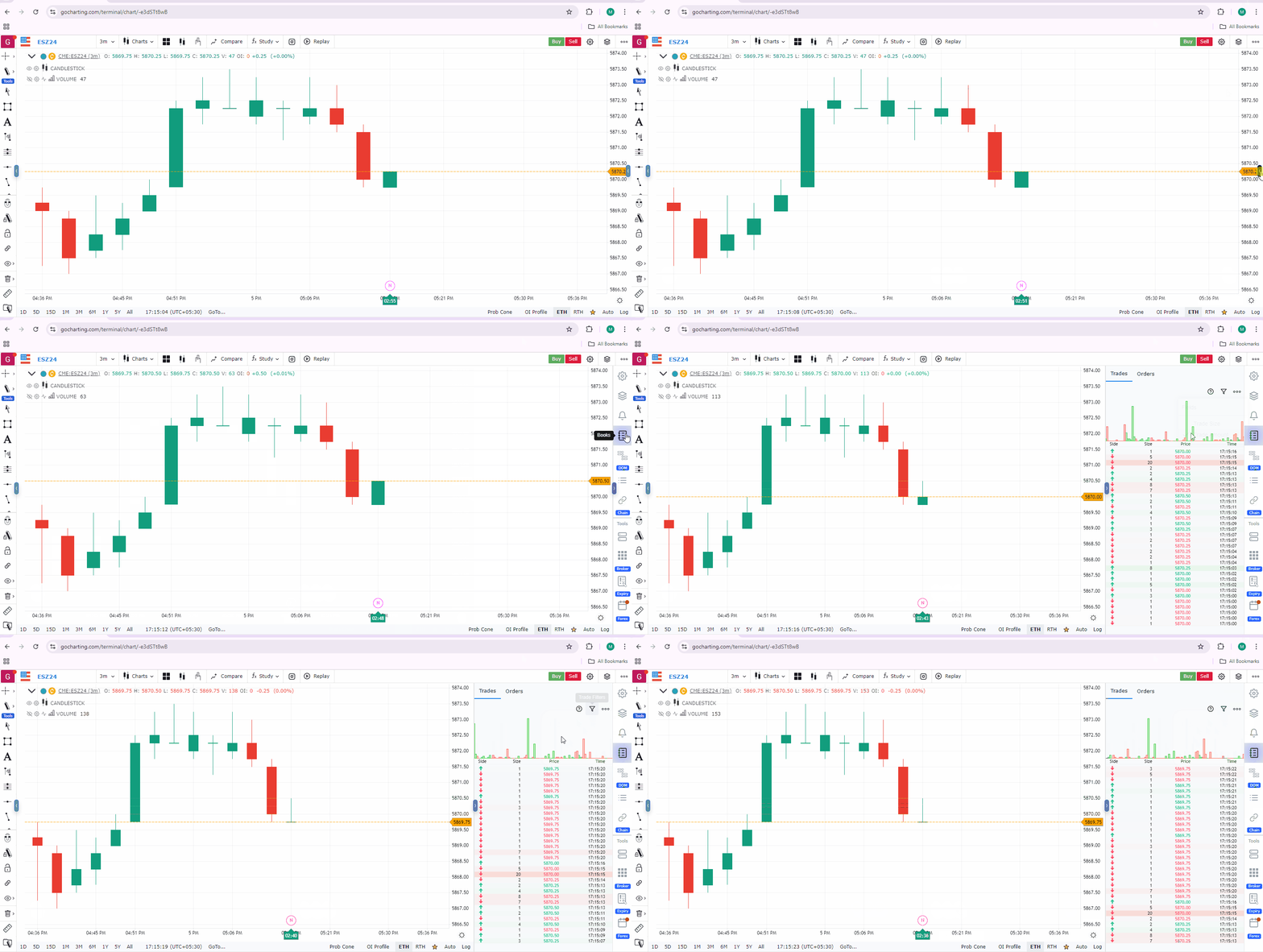
Features of the Time and Sales Panel
-
Real-Time Updates: The panel displays executed trades as they happen, with immediate updates on the trade details.
-
Columns Explained:
- Arrows (UP = BUY, DOWN = SELL)
- Trade Size: The quantity of trade.
- Trade Amount: Trade Quantity X Trade Price
- Price: Displays the price at which the trade was executed.
- Time: Timestamp of when the trade occurred.
-
Color Coding:
- Green rows indicate trades executed at the ask price (buy trades).
- Red rows indicate trades executed at the bid price (sell trades).
- Gradient Coloring Shows the big trades
Customizing the View
- Filters: Users can filter the trades based on size.
Practical Use Cases
- Order Flow Analysis: Traders can gauge market sentiment by analyzing the frequency and size of trades. For example, consistent large buy trades might indicate strong demand.
- Identifying Liquidity: By observing the trade sizes and how frequently they occur, traders can identify periods of high liquidity, which can affect their trading strategies.
- Spotting Market Momentum: Sudden bursts in trade volume can signify market momentum, helping traders anticipate potential breakouts or reversals.
Conclusion
The Time and Sales feature on GoCharting is a powerful tool for traders to monitor real-time market activity. By providing clear insights into executed trades, it enables better understanding and execution of trading strategies.
Use Case
Time & Sales (the Tape) displays a real-time feed of every executed trade with price, size, and timestamp. Professional traders use the Tape to identify when large blocks are hitting the market and to assess the pace and aggression of current buying or selling pressure.
Strategy
Use Time & Sales to confirm large-volume executions at key levels. When you see a series of large buy prints (above-average size) at a support level, it confirms institutional buying and supports a long entry. Watch the Tape speed — accelerating prints in one direction signal momentum is building.
Common Mistakes
Do not try to read the Tape at full speed without filtering for print sizes. Avoid making trade decisions based on single large prints without context. Do not use Time & Sales for instruments with thin liquidity where individual prints have less statistical significance.