Options Settings
The Options Settings are specifically designed for the options desk, allowing users to customize their options trading experience. To access the options settings:
- Click on the Settings icon in the top-right corner of the platform.
- In the settings pop-up, select Options Settings from the left-hand panel.
Available Customization Options
-
Choose Colors for Call and Put
- Users can assign specific colors to Call and Put options to easily differentiate them visually on the platform.
-
Pricing Model
- You can select the desired pricing model for options from the following choices:
- Black-Scholes: A standard model used for pricing European-style options.
- Black-Scholes 76: A variant of the Black-Scholes model that includes features like futures contracts.
- Binary: For pricing binary options.
- You can select the desired pricing model for options from the following choices:
-
Paper Entry and Exit Based on LTP or BID/ASK
- This setting allows you to choose how paper trades (simulated trades) are executed:
- Based on LTP (Last Traded Price) or
- Based on the Bid/Ask spread.
- This setting allows you to choose how paper trades (simulated trades) are executed:
-
Payoff Charts
- For payoff charts, you can configure the display to show:
- Different standard deviations to reflect volatility.
- The breakeven point to understand the profitability of an options strategy.
- For payoff charts, you can configure the display to show:
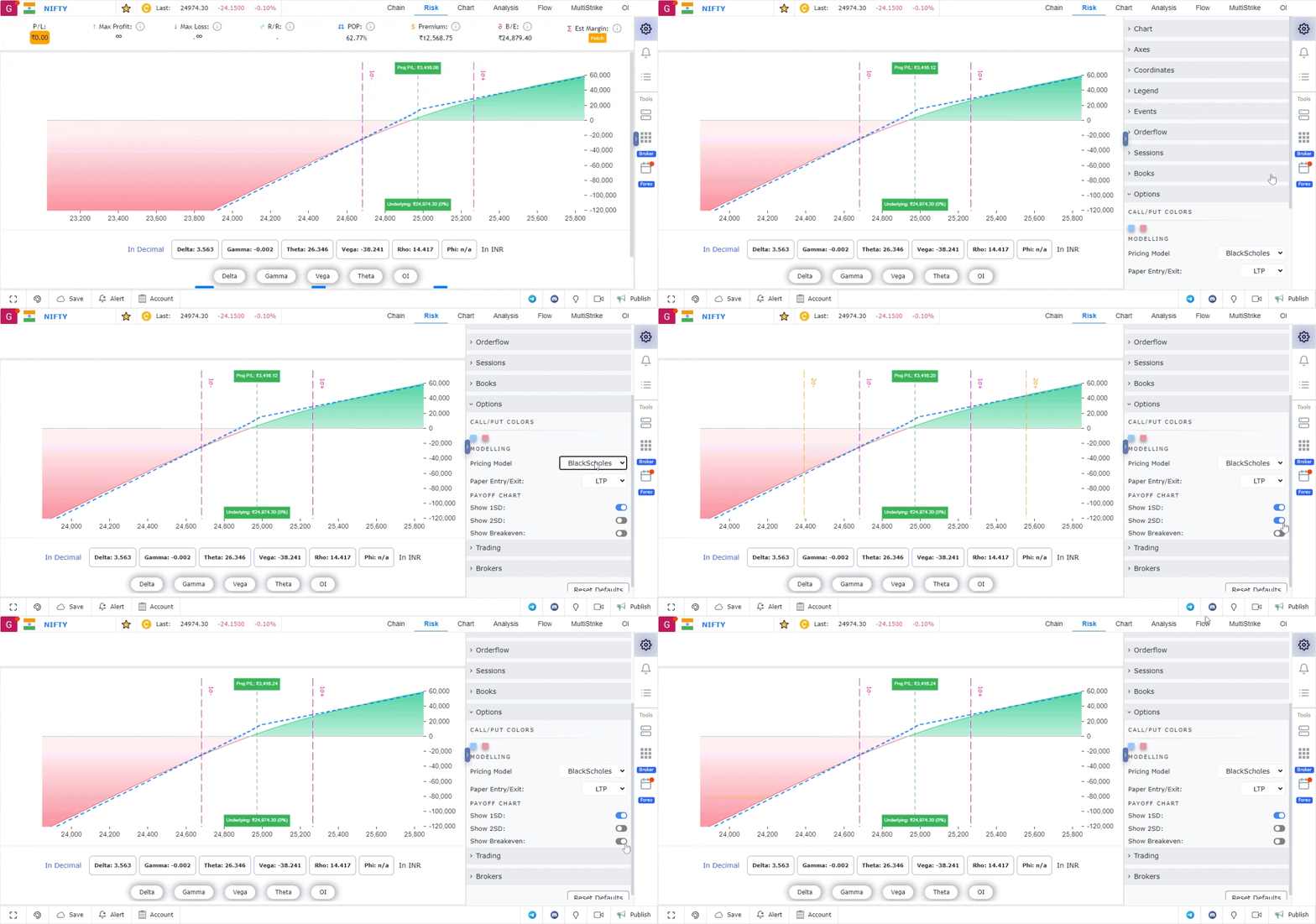
These settings allow traders to personalize their experience and optimize their options trading strategies using the platform.
Use Case
Options Settings in GoCharting control how options data is displayed, including Greek calculations, expiry display filters, strike range settings, and premium formatting preferences. Correct configuration is essential for efficient options analysis.
Strategy
Configure Options Settings to show only the strikes within 10-15% of the current underlying price to avoid information overload. Enable Greek display for delta and gamma as minimum requirements for options traders. Set expiry filters to show only the expirations you actively trade.
Common Mistakes
Do not display all available strikes — too many strikes create visual noise that slows decision-making. Avoid relying on displayed Greeks without understanding that they change continuously with the underlying price and volatility. Do not ignore that options settings may need adjustment when the underlying makes a large directional move.