Bar Replay in GoCharting
In GoCharting, the Bar Replay feature is a great free tool for backtesting. Here’s a quick guide on how to use it:
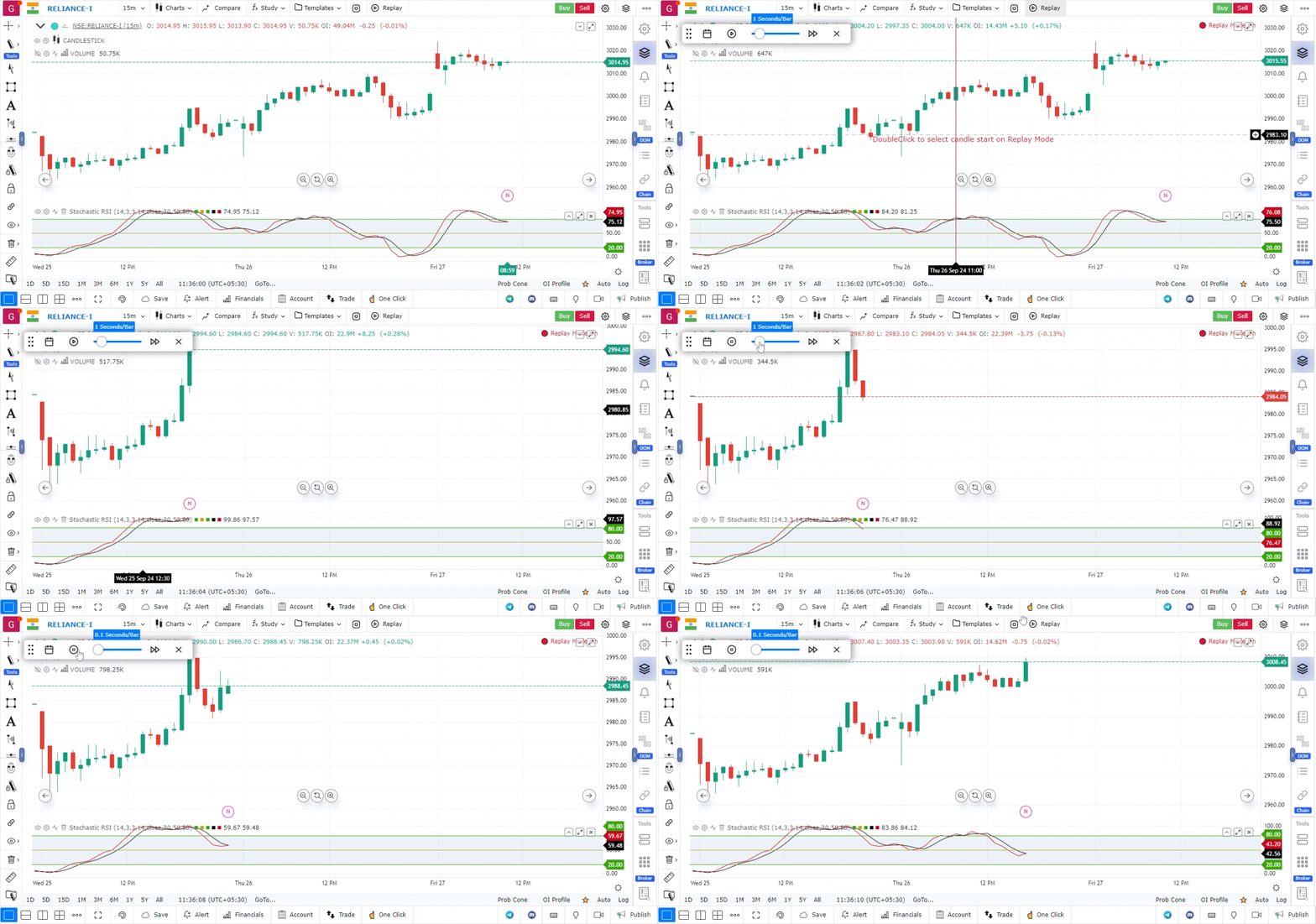
- Activate Bar Replay: Click the bar replay button located on the top bar.
- Select Starting Candle: Double-click on the candle from which you want to start the replay.
- Reset Replay: If you want to reset the replay, click the calendar symbol on the bar replay toolbar.
- Adjust Speed: Use the slider on the toolbar to adjust the replay speed to your preference.
This feature allows for effective strategy testing and analysis, making it a valuable resource for traders.
Use Case
GoCharting’s Bar Replay backtesting tool replays historical price data bar by bar at user-controlled speed, enabling traders to practise entry and exit decisions on past market data with the same uncertainty as real-time trading.
Strategy
Select a significant historical period and replay it at normal speed, making live trading decisions at each bar. Record your decisions and compare against what actually happened. Run through at least 50 complete sessions to gather statistically meaningful data.
Common Mistakes
Do not replay only perfect setups from memory. Let the replay run from a random historical start date to remove hindsight bias. Avoid pausing and analysing too much; make decisions at normal chart speed. Do not skip the journaling step.