PTZ GEX Levels | PropTraderz

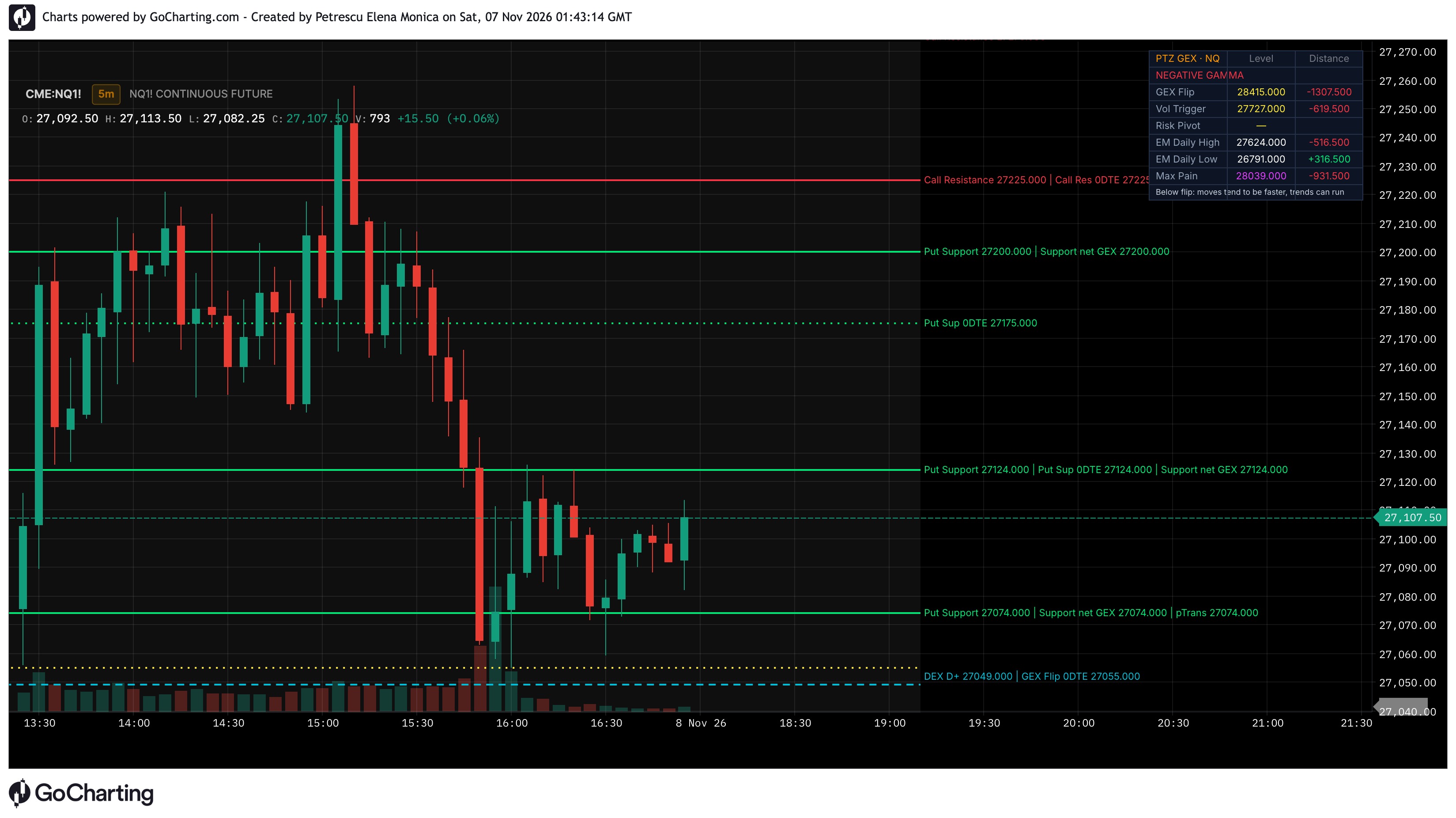
Draws the GEX levels you paste into the settings as text: the levels, the daily expected move and the gamma regime.
HOW TO PASTE THE LEVELS
Open the settings and paste your levels into "Paste levels here". One level type per row, values separated by commas, and every row ends with a semicolon (;).
Format:
Ticker,color,style,width,Label,level1,level2,level3;
Example:
NQ,yellow,dashed,2,GEX Flip,21500;
NQ,red,solid,2,Call Resistance,21600,21650;
NQ,lime,solid,2,Put Support,21400,21350;
NQ,white,dotted,1,EM Daily High,21700;
NQ,white,dotted,1,EM Daily Low,21300;
What each part means:
Ticker: the market, for example NQ, ES, YM, GC or CL (micros use the same rows).
color: red, lime, green, yellow, orange, white, aqua, fuchsia, blue, purple, olive, teal, silver or gray.
style: solid, dashed or dotted.
width: line thickness from 1 to 4.
Label: the name shown next to the line.
level1, level2...: one or more prices for that label, separated by commas.
After pasting, press Enter once inside the box, then click OK.
WHAT IT RECOGNIZES
GEX Flip, Vol Trigger, Risk Pivot, Call Resistance, Put Support (plus their 0DTE versions), net GEX Resistance and Support, EM Daily and EM Weekly High/Low, cTrans, pTrans, DEX D+/D-, Charm Magnet, Pin Strike and Max Pain. Any other label is drawn too. Every level type can be hidden in the settings.
PANEL AND ALERTS
A small panel shows whether price is above or below the GEX Flip (positive or negative gamma), with the main levels and their distance from price. Alerts can fire when a bar closes across a visible level or across the GEX Flip.
The levels are a daily snapshot you paste yourself, not live data and not buy or sell signals. Not financial advice.
The information and publications are not meant to be, and do not constitute, financial, investment, trading, or other types of advice or recommendations supplied or endorsed by GoCharting. Read more in the Terms of Use.
Related Scripts
Comments (1)
Loading comments…